Private vs Personal Information

Today in the third session we had cybersmart. The picture above is part of our Smart Footprint category, emphasising the importance of knowing what types of information should and shouldn’t be shared online. We learnt how to understand the difference between Private and Personal information, and know that we don’t ever share Private information online.


FAKE NEWS CYBERSMART CHALLENGE

Today in the third session we had cybersmart. In this activity, we were meant to create a fake news article. The image you see above, is my fake news article. It’s most definitely fake, because brainrots are fictional things. Like superpowers, they’re fictional.This whole point of this activity was to show, not everything on the internet, is true. Even if you search on google, it might not be accurate.

The Anonymous Person

Today in second session, I finished my cybersmart challenge. I used google slides, to make this awesome scene. As you can see, the anonymous person saved the person, from getting hurt. He is a good person, or is he? Maybe there will be a part two, to this story who knows? Let me know in the comments.


Blog Commenting

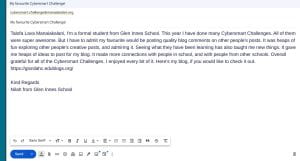
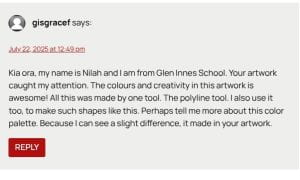
Today In the third session, we had cybersmart. We had to comment on other people’s blogs. The three main things, in a quality blog comment is positive, thoughtful and helpful. The picture you see above, is my comment on a close friend. Tell me in the comments if you ever comment on somebody’s blog.

Cybersmart Challenge

Today in the third session, I finish my cybersmart. We learnt how to use Google Sheets.  The point in this activity, is to see how many times we visited these apps weekly. Identify what site I visit the most, and the site I meet the least. As you can see the image above, I mostly visit Fortnite, and then the app I don’t really go on is Minecraft. This activity was really easy. It only took me about half an hour to do. Tell me in the comments what apps you visit the most!

Cybersmart Challenge

Today I had Cybersmart on the third session. We used google drawing for this. We have to select animals, we can create by only using the polyline tool. I chose the polar bear, because it’s one of my favourite animals. Fun fact about polar bears, is the their skin are actually black! But the white fur covers it.

SCREENSHOTS Cybersmart!

Today I had Cybersmart in the third session. Our main goal, is learning how to take screenshots. We use screenshots, to capture visual information for notes, demonstrating work to teachers, and documenting learning processes. On slide 6, I use the screenshots to answer the questions. I don’t tell, I show. Hope you learnt something!